Creating a Marketing Notification
This is a guide for the marketing team to request and trigger pusha and in app notifications via Iterable.
1. [Requester] Create a linear ticket
When creating a new issue using this template link
Fill out the form and submit.
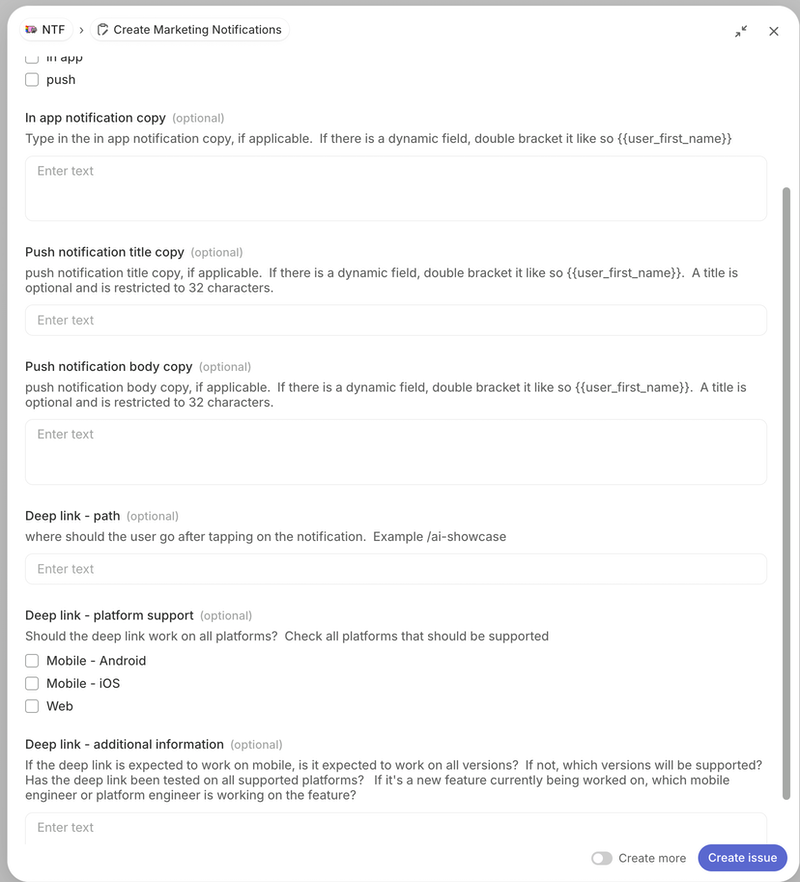
We will triage the ticket on our next sprint. If you need something earlier, please reach out to the team by posting the issue link in the #ask-notifications slack channel.
2. [Engineer] Create the notification
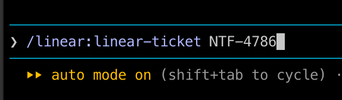
The issue template creates sub-issues in the ticket. There are Claude/Cursor skills that can be used to create the notification.
Skills
Monolith:
- /create-in-app-notification
- /create-push-notification
Notification:
- /notification-config
Linear MCP
But the easiest way is to have Claude fetch the linear ticket and then tell it to implement the ticket in the approriate repo.
3. [Requester] Test on staging / sandbox environment
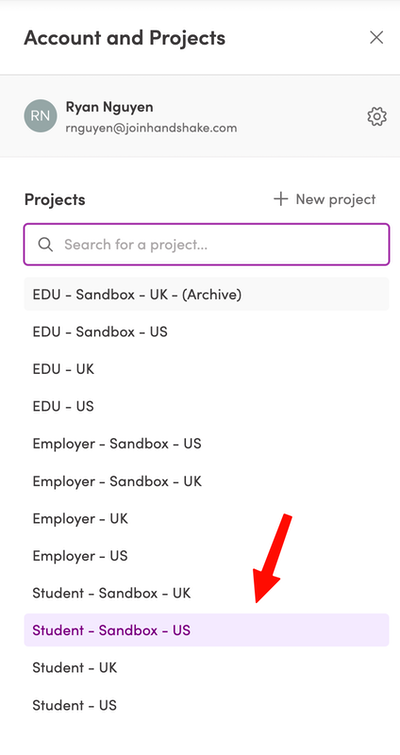
Go to Iterable and choose the Student Sandbox project
Create a new Journey or use an existing one within the Student Sandbox project and add the webhook to the journey.
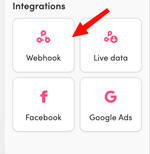
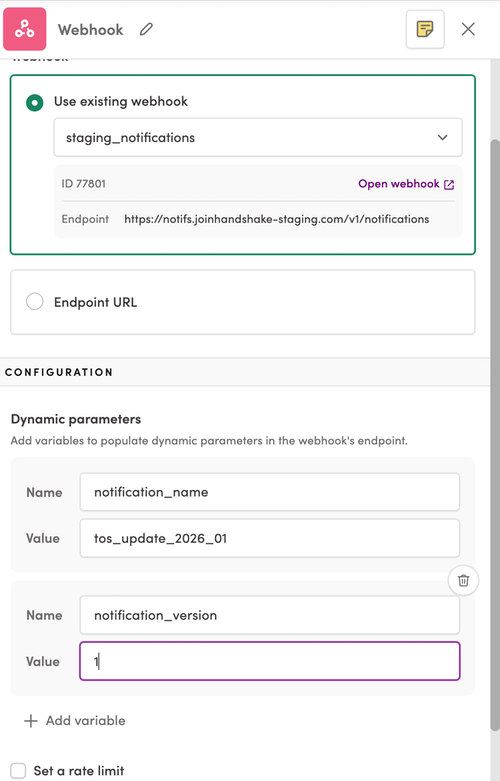
Set up the webhook by double clicking on it.
- Under
Use an existing webhook, choose the staging_notifications webhook - Under the
Dynamic parameterssection add the following parameters:- Name:
notification_name, Value:your_notification_name - Name:
notification_version, Value: 1
- Name:
Assume the notification_version is 1 unless otherwise specified by the notifications team.
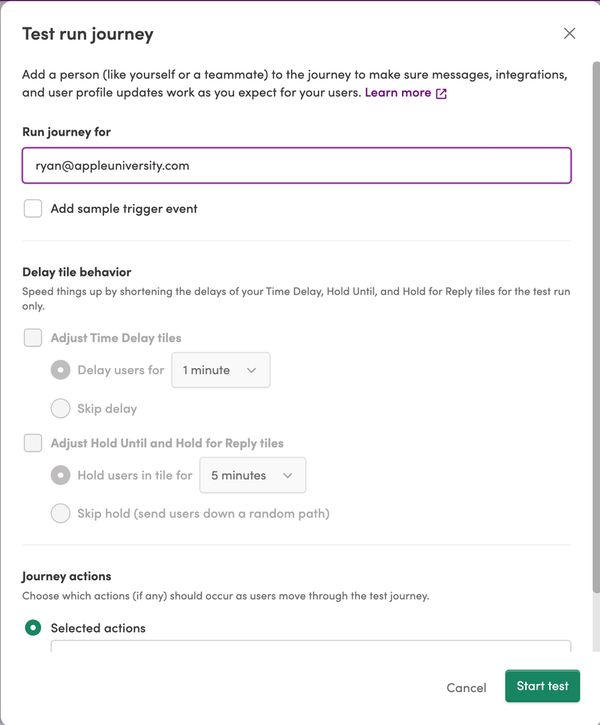
Test the webhook by clicking the Test Journey button and using a staging account.
Login into https://joinhandshake-staging.com to see if the notification appears.
4. [Requester] Add the webhook to your journey in the Student project
If testing in the Sandbox / Stagning environment is successful you may add the webhook to your production Journey.
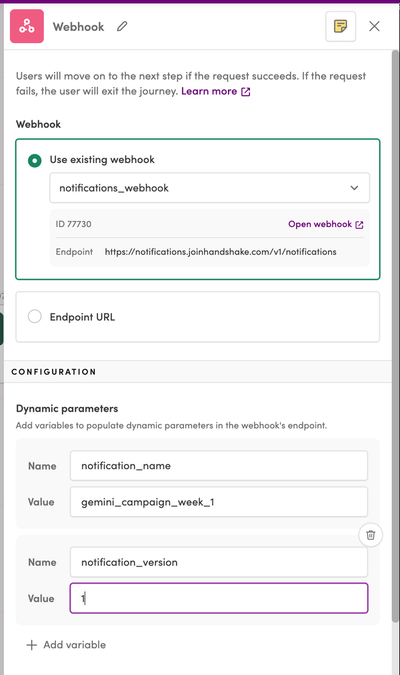
The steps are the same as the steps above, except when you select the webhook from the dropdown, it will be named notifications_webhook
Dynamic Parameters in Copy
Currently we support inserting anything from the user model and school model in the copy of the notification. Think first name, last name, school name, etc.
We do not have support for inserting things like job's data, events data, etc. yet. If this is needed, let us know and we'll consider a solution.
Support
If you have any questions, feel free to reach out to the team by posting the issue link in the #ask-notifications slack channel.