FAQs
How can I find the number and list of user suppressions (unsubscribes)?
This information is available in the Mailgun UI. You can request access to the Mailgun app via go/lumos, or ask a Notifications team member to pull this information.
In Mailgun, navigate to Send -> Sending -> Suppressions. Select the domain you want suppression info for in the top right dropdown. Click the unsubscribes tab. You can then export the data if needed.
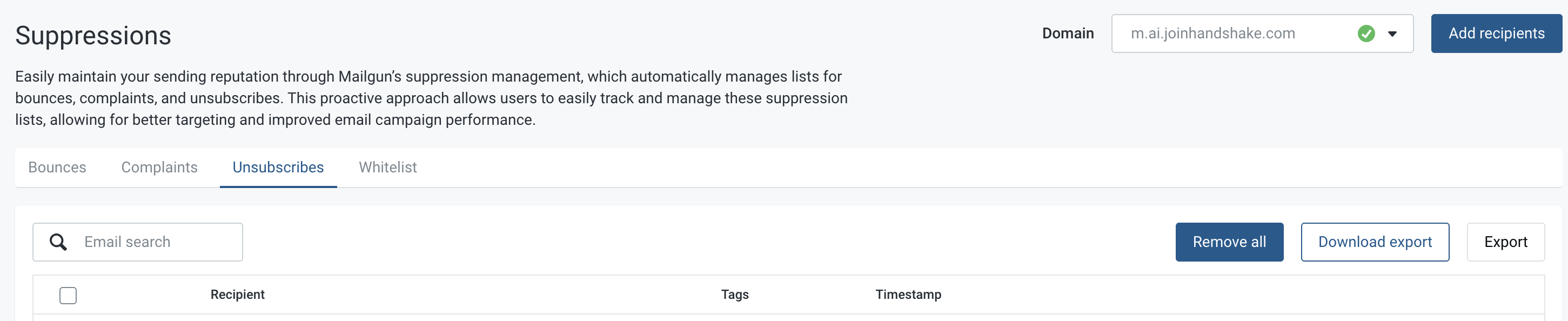
Here's a link to the suppression data for the m.ai.joinhandshake.com domain, as an example.
How can I see if Mailgun is down? If it is down, what should I do?
If Mailgun had an outage during the sending of your email, don't panic - nothing is lost! The events will end up on the DLQ (dead letter queue). These events can be processed once Mailgun is back up by following the instructions here (reach out for help as needed - we are looking into making this process automated/easier).
Where can I find analytics for my email?
Start with this simple query in BigQuery and modify it as needed to find the metrics you are looking for:
select * from `mailgun_events.mailgun_events` where created_at > '2025-11-04 01:29:10 UTC' and created_at < '2025-11-04 02:29:10 UTC'
Common fields to query by are mass_email_id, domain, event, and recipient.