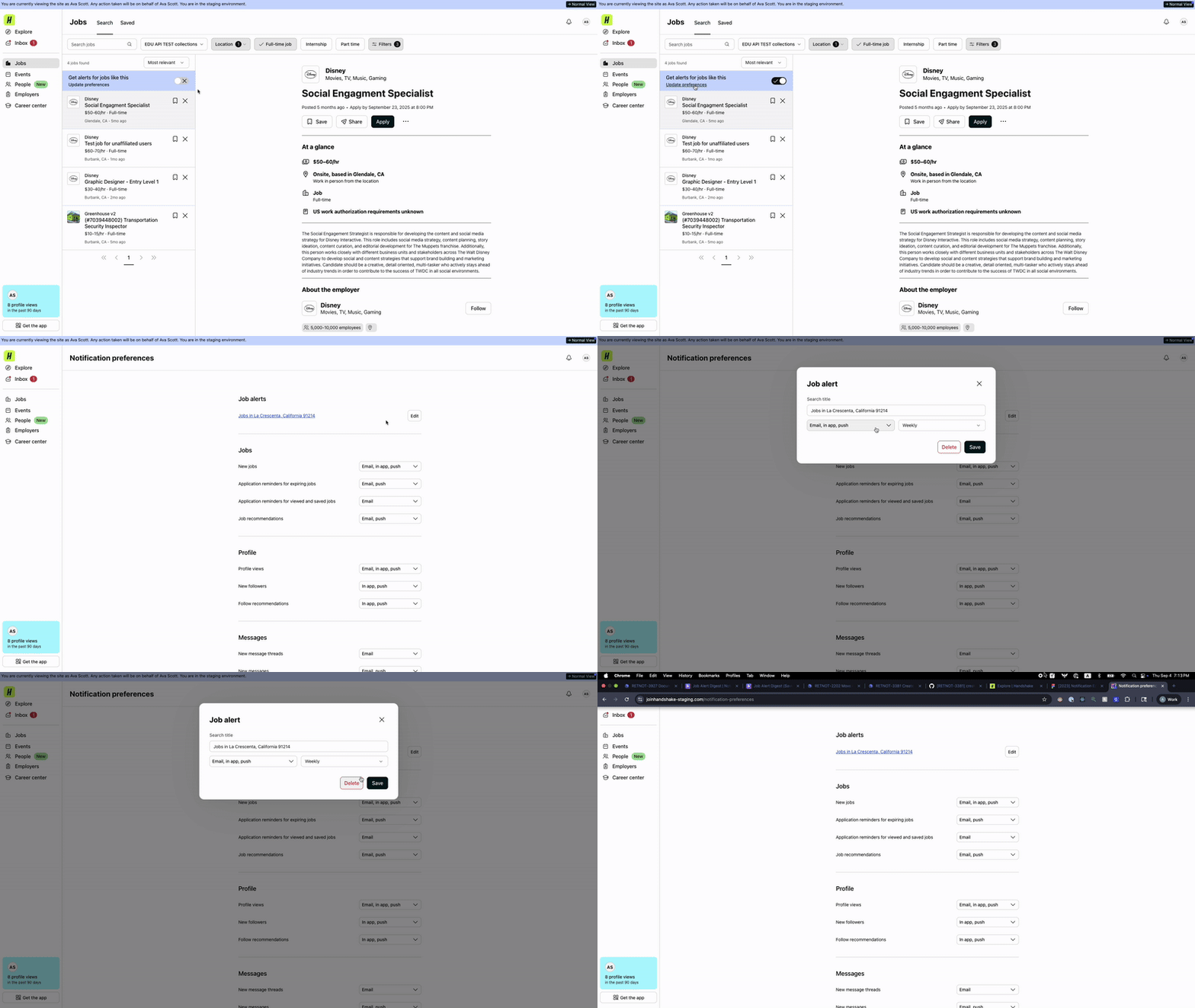
Saved Search / Digest Job Alert
These notifications alert students regarding their saved job searches. Each saved search has its own custom notification logic set up by the student. They can select daily or weekly notifications that send via email, in-app, and/or push when new jobs are added to their saved search.
| Attribute | |
|---|---|
| Channels | email, in-app, push |
| User types | Students |
| Regions | NA, EU |
| Platforms | web, iOS, Android |
| Product area | Jobs |
| Notification preference | Custom per saved search |
| Notification config | /v3/digest_job_alert.yml |
Audience
Students who have created saved job searches and enabled notifications for those searches.
Trigger
A daily and weekly clock event triggers the notifications.
How to test
E2E
As a student, create a saved search with notification preferences enabled, then log in as an employer and post jobs that match the search criteria. Wait for the scheduled send time or manually trigger the clock job using the command line.
Additional info
Implementation
Each saved search can have custom notification settings configured by the student, including frequency (daily/weekly) and channels (email, in-app, push). These notification preferences are separate and distinct from the rest of the notification preferences.
Email Channel
Sends via Mailgun:
- Mailer: ActivityMailer
- Template: notifications/email/job_alert/_digest.html.haml
- Mailgun Tag:
job_alert_digest
In-App Channel
Sends via ActivityNotificationSender
- Template: digest_job_alert
Push Channel
Sends via Firebase and Iterable:
- Firebase Template: digest_job_alert
- Iterable Campaign: saved_search_job_alert_push
Experiments
Aliases
- Saved Search
- Job Alert Digest
- Job Search Digest
- digest_job_alert
Resources
- Figma - current designs as of 2025
- Saving a job search + modifying preferences demo: